🎮 Game Controls & Keyboard Guide
Play Zombie Sprint Fullscreen on Puzzle Drop - Free Brain Teasers & Match 3 Games
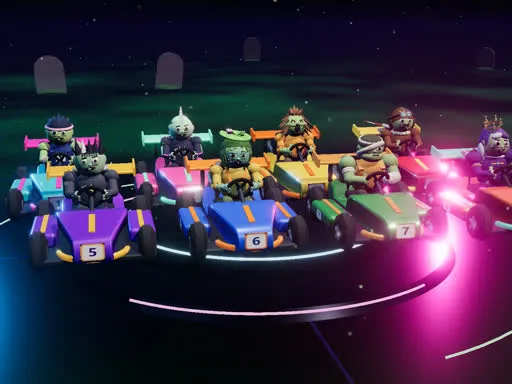
A colorful 3D championship where eight different zombies race across four tracks. Drift, collect power-ups and finish three laps ahead of seven rivals. No blood or violence — only friendly arcade action.
Discover why thousands of players love Zombie Sprint! Featuring fast-paced Racing mechanics, intuitive controls, and unlimited replayability.
Complete Guide & Gameplay for Zombie Sprint
Each session in Zombie Sprint offers a fresh challenge. Focus on combo multipliers, preserve your resources, and execute tactical maneuvers to outlast rival players.
This classic Racing & Driving browser title is fully optimized for HTML5 browsers, delivering responsive physics and immersive action on desktop, mobile, and tablet platforms without downloads.
⭐ Pro Tips & Strategy
Hug the inside curb on turns to minimize total lap distance and shave seconds off your time. Watch opponent slipstreams to gain extra drafting speed before overtaking on straight paths.
⚡ Key Features
📱 Cross-Platform Ready
Flawless gameplay experience on PC, Laptop, Chromebook, iPhone, iPad, and Android.
🏆 Endless Replayability
Challenging level design with increasing difficulty to test your mastery continuously.